Usage Guide
Overview
This report provides a comprehensive overview of the Snowflake user interface, detailing the core functional pages and their specific features. It serves as a guide for navigating the platform, from user authentication to managing complex batch processing jobs and user profiles.
Pages
Login Page
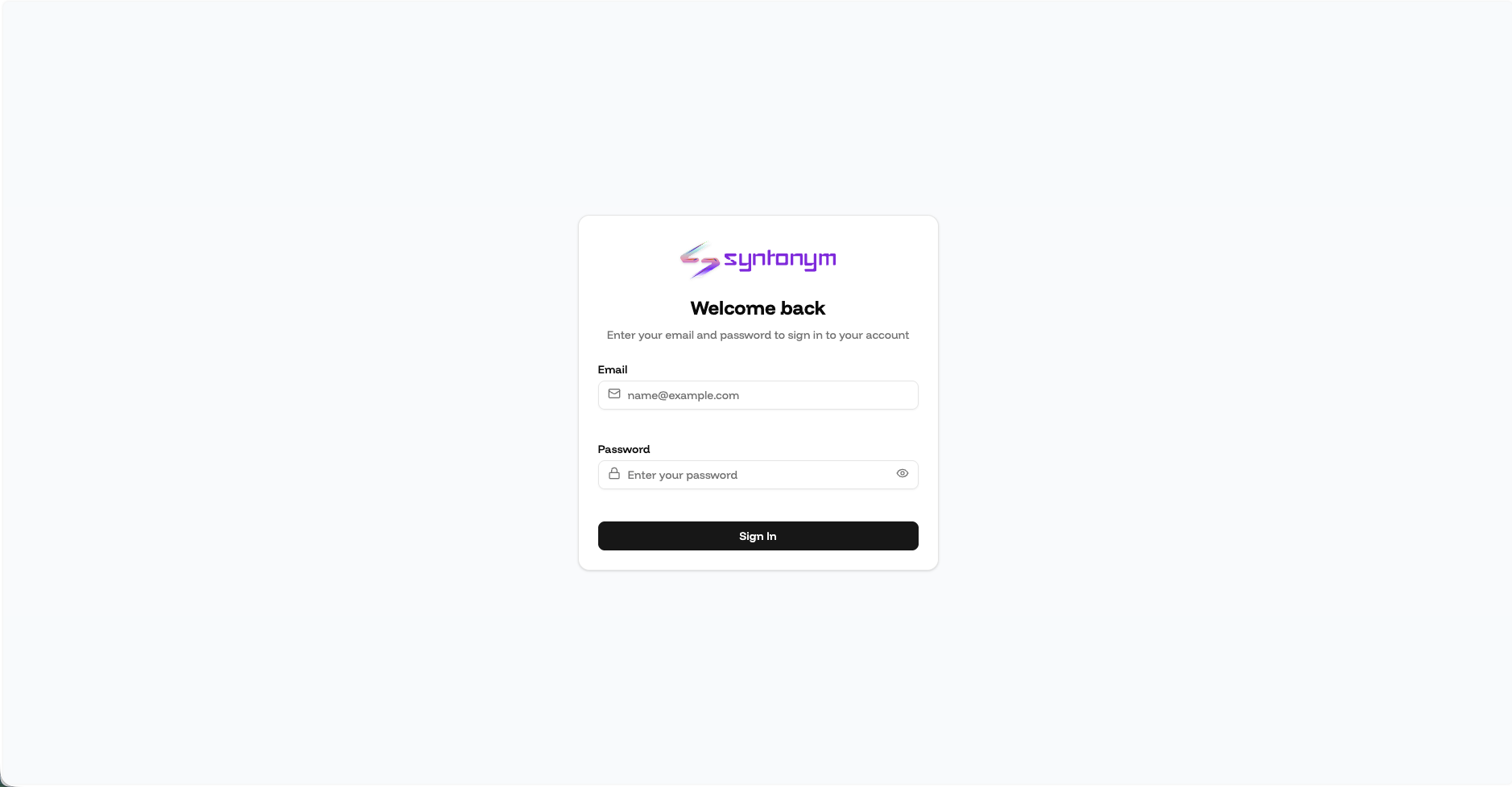
Login Features
- User login procedures can be performed through the License Manager.
Dashboard Page
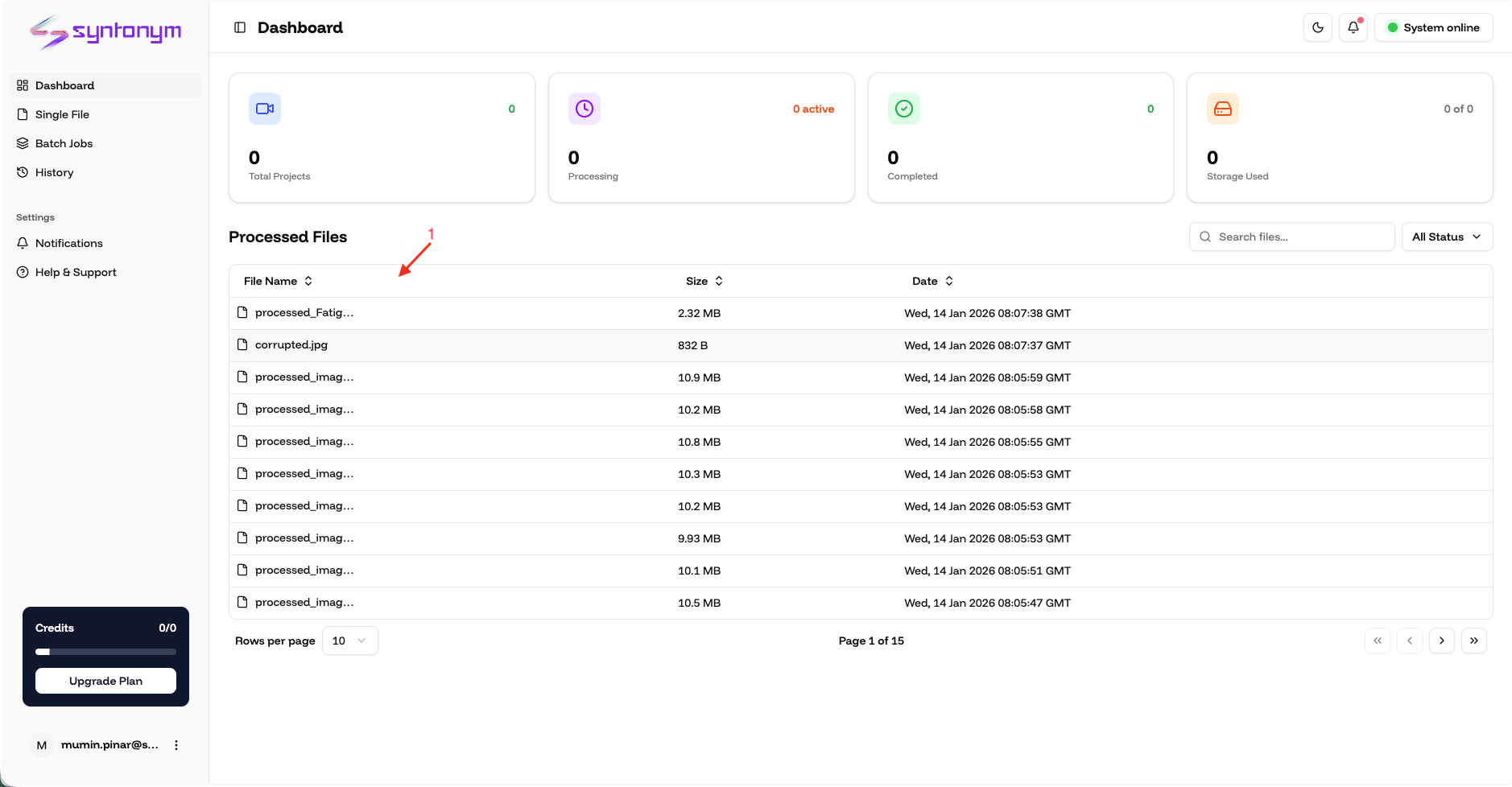
Dashboard Features
- All images and videos uploaded to and processed on the Snowflake side can be viewed.
Single File Page
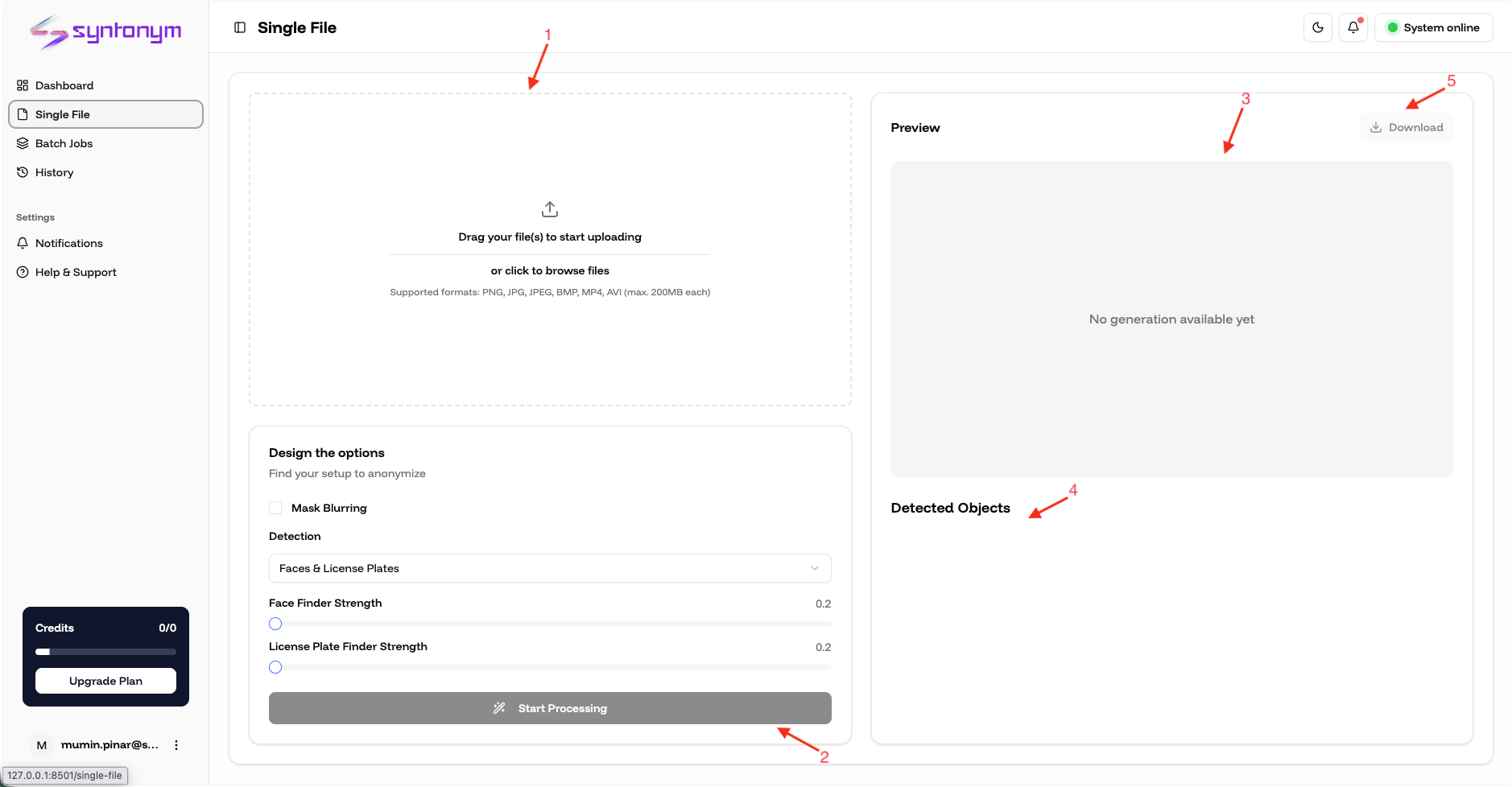
Single File Features
- Any single image or video can be selected and uploaded from the file upload area.
- Settings can be selected regarding which operations will be performed on the uploaded image or video.
- The image or video being processed can be viewed in the "Preview" area.
- Objects detected in the image or video are listed in the "Detected Objects" area based on the options selected in the settings section.
- The processed image or video displayed in the preview area can be downloaded.
Batch Jobs Page
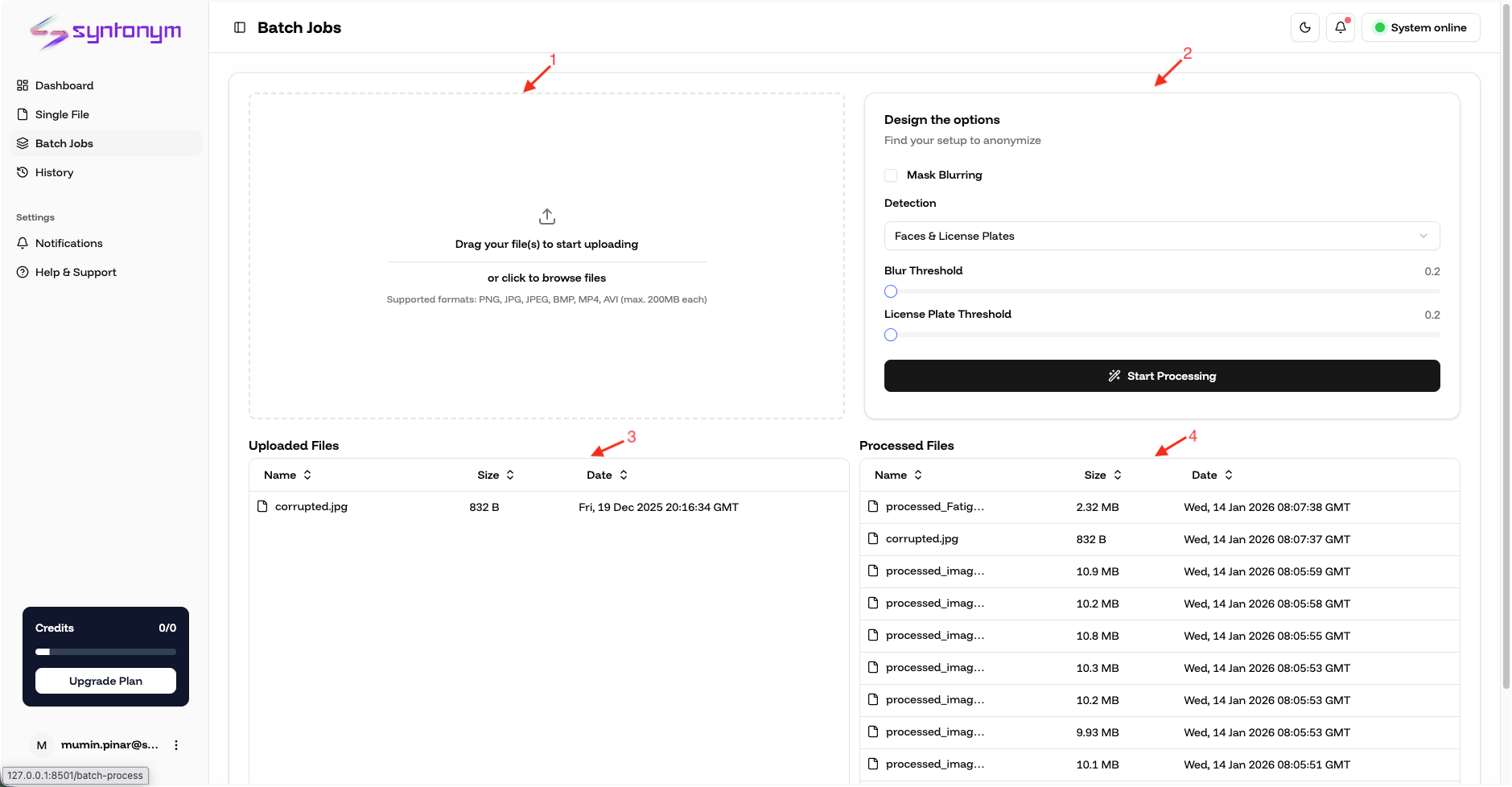
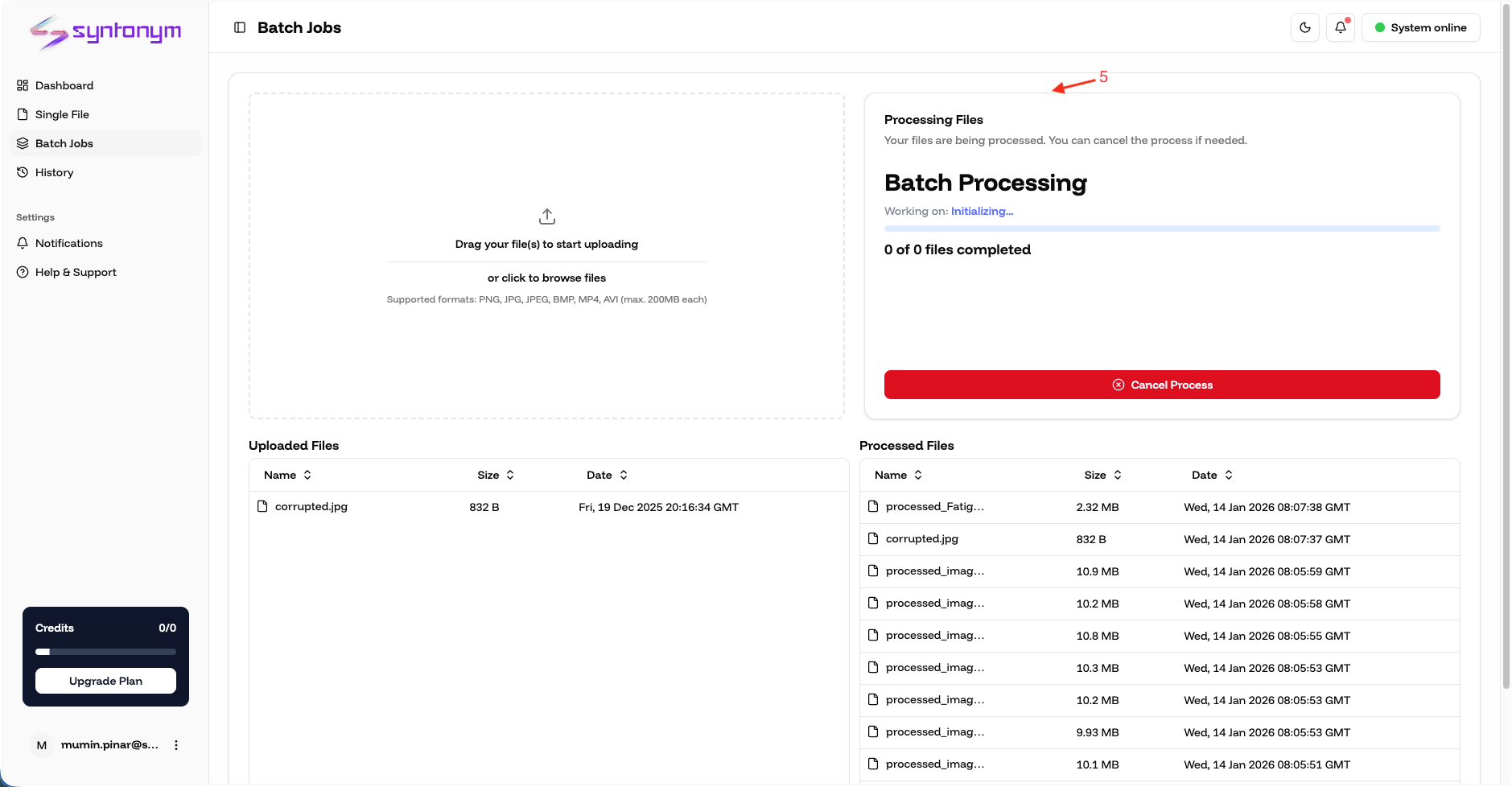
Batch Jobs Features
- Multiple images or videos can be selected and uploaded from the file upload area.
- Settings can be selected regarding which operations will be performed on the uploaded images and videos.
- Uploaded images and videos are listed in the "Uploaded Files" table.
- Uploaded images and videos are removed from this table after they are processed.
- Processed images and videos are listed in the "Processed Files" table.
- The status of which image or video is currently being processed and the overall progress can be viewed.
History Page
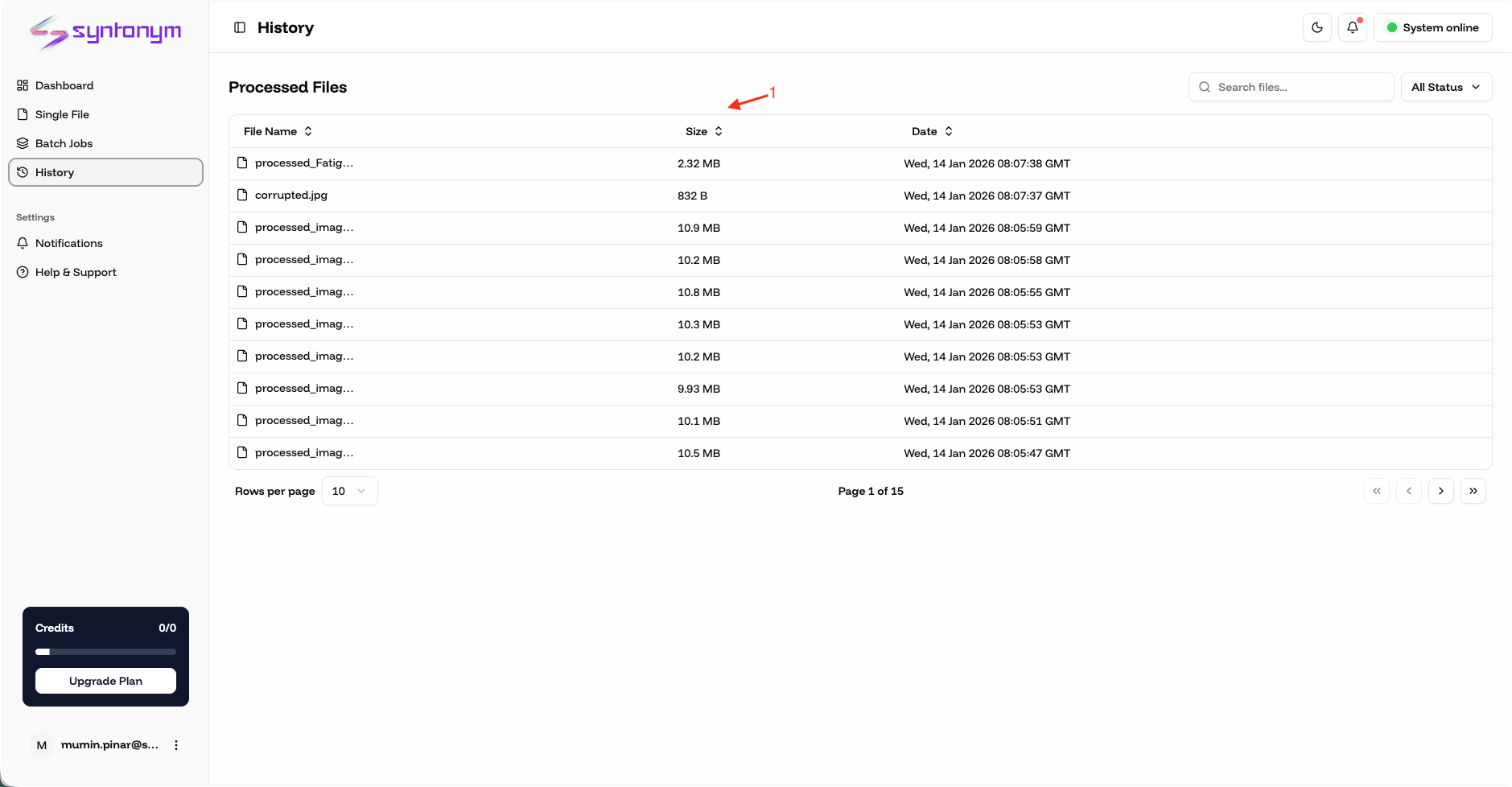
History Features
- All images and videos uploaded to and processed on the Snowflake side can be viewed.
Profile Page
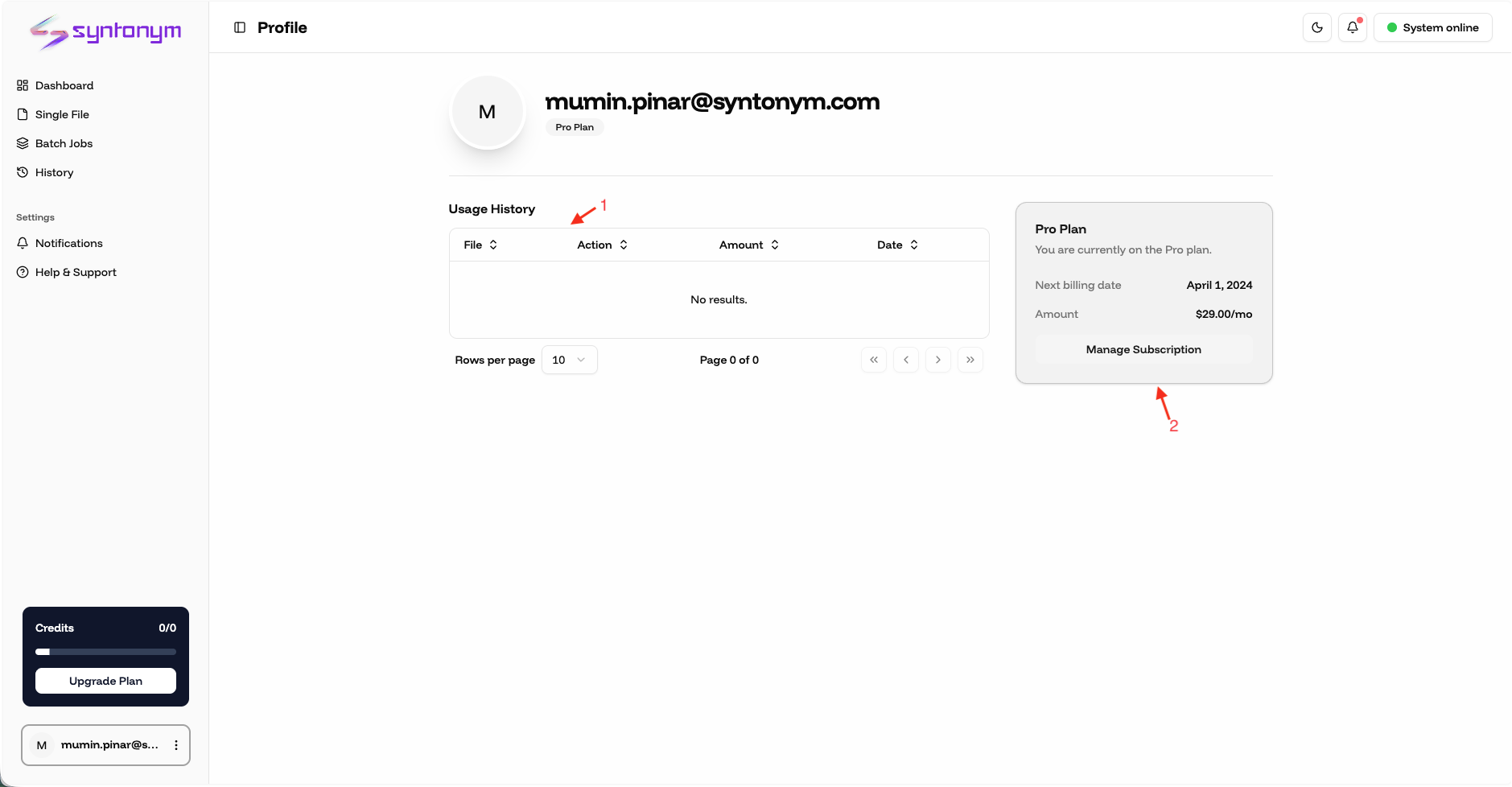
Profile Features
- The user's usage history can be viewed.
- The user's current payment plan can be viewed.