Cloud Public API Documentation
Cloud Public API Sample Client in Python
install requests package using pip and import the following libraries in your script.
import base64
import os
import time
import requests
First register your video processing request with model configuration options. This service will create a processing job and return its id to track our job later and a signed URL which we will later use to upload the input file to Azure Blob Storage.
def get_upload_url(api_key: str, file_name: str, model_config: dict):
    if not os.path.exists(file_name):
        raise FileNotFoundError(f"File {file_name} not found")
    if not len(api_key) == 36:
        raise ValueError("Invalid API key")
    file_size = os.path.getsize(file_name)

    url = f"{API_URL}/create_upload_session"
    headers = {
        "access_token": api_key
    }
    payload = {
        "file_name": file_name,
        "file_size": file_size,
        "content_type": "octet-stream",
        "model": "blur",
        "model_config": model_config
    }
    response = requests.post(url, headers=headers, json=payload)
    if response.status_code == 200:
        response_json = response.json()
        session_uri = response_json["session_uri"]
        job_uuid = response_json["job_id"]
        return session_uri, job_uuid
    else:
        raise Exception(f"Failed to get upload URL: {response.text}")
Upload the file to the signed URL using Azure Blob Storage API. This function uploads the file in blocks of 1MB and later commits the blocks to complete the upload. Note that only BlockBlob's are supported for upload. Refer to Azure Blob Storage documentation for more information.
def upload_file(session_uri: str, file_name: str):
    chunk_size = 4 * 1024 * 1024  # 4 MB
    block_ids = []
    with open(file_name, "rb") as f:
        while True:
            chunk = f.read(chunk_size)
            block_id = base64.urlsafe_b64encode(len(block_ids).to_bytes(4, byteorder="big")).decode("utf-8")
            if not chunk:
                break
            response = requests.put(session_uri + "&comp=block" + "&blockid=" + block_id, data=chunk)
            if response.status_code != 201:
                raise Exception(f"Failed to upload file: {response.text}")
            else:
                block_ids.append(block_id)

        xml = "<BlockList>"

        # Iterate over the block_ids
        for i, block_id in enumerate(block_ids):
            xml += f"<Latest>{block_id}</Latest>"

        # Add the closing BlockList tag
        xml += "</BlockList>"
        # commit the blocks
        response = requests.put(session_uri + "&comp=blocklist", data=xml)
        if response.status_code != 201:
            raise Exception(f"Failed to upload file: {response.text}")
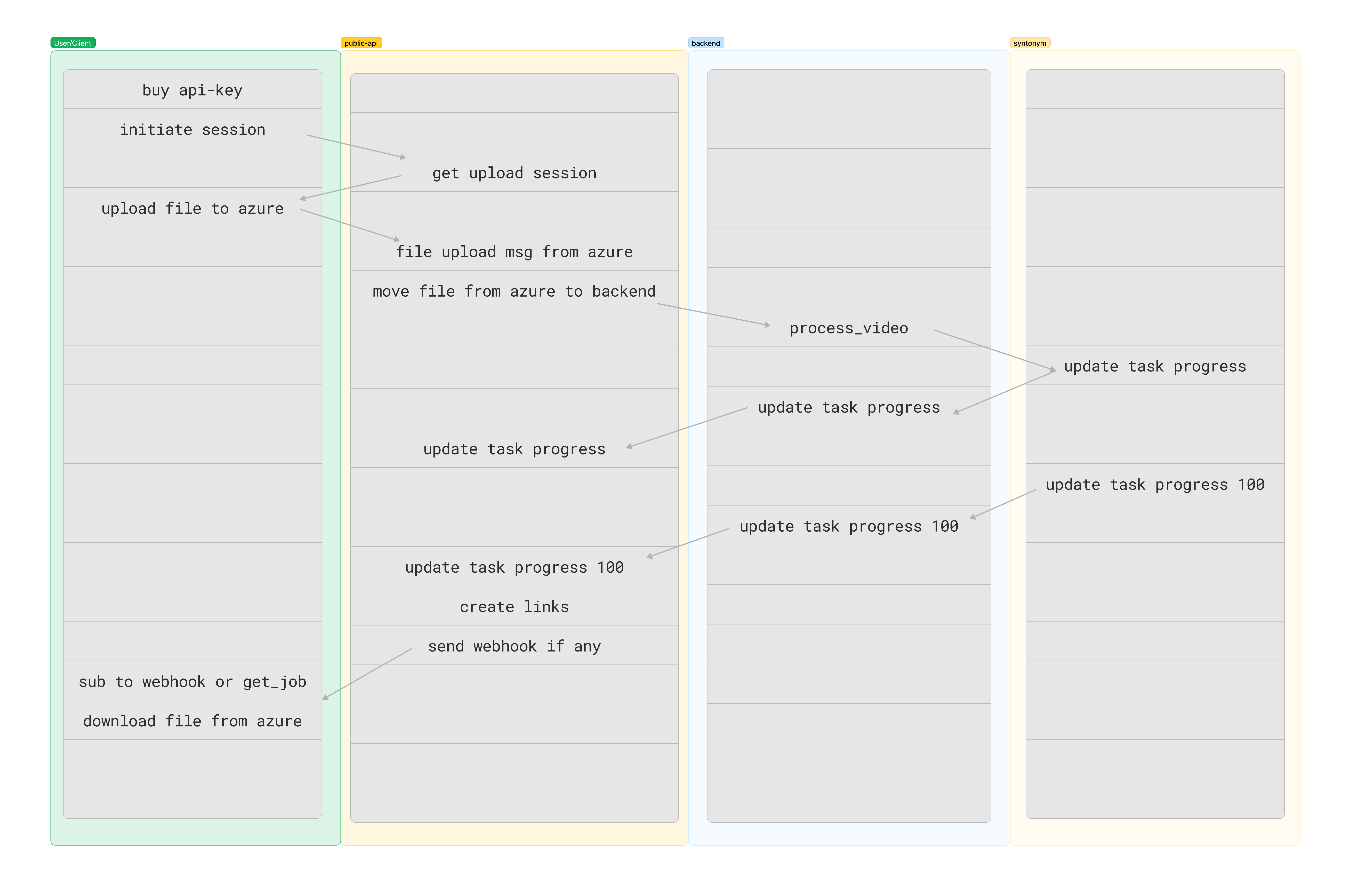
Once the upload is complete. Azure blob storage will notify the backend. Backend then will transfer the file to the assigned Syntonym backbone.
Approval is required to start processing the uploaded file.
def approve_job(api_key: str, job_id: str) -> bool:
    url = f"{API_URL}/approve_job/{job_id}"
    headers = {
        "access_token": api_key
    }
    while True:
        response = requests.post(url, headers=headers)
        if response.status_code == 200:
            print("Job approved")
            return True
        elif response.status_code == 202:
            print("Job already approved")
            return True
        elif response.status_code == 302:
            print("Backend is waiting for upload completion")
            time.sleep(3)
        else:
            print(f"approve response: {response.text}")
            time.sleep(3)
Once approved, we can track the job status using the job id. The job status will be updated as it progresses and the
job_status field will be updated with the progress percentage.
def wait_for_job_to_complete(job_id: str, api_key: str):
    url = f"{API_URL}/job_result/{job_id}"
    headers = {
        "access_token": api_key
    }
    while True:
        response = requests.get(url, headers=headers)
        if response.status_code == 200:
            response_json = response.json()
            if 0 < response_json["job_status"] < 100:
                print(f"Job progress: %{response_json['job_status']}")
                time.sleep(3)
            elif response_json["job_status"] == 100:
                print("Job completed")
                tasks = response_json["tasks"]
                return tasks
            elif response_json["job_status"] == 200:
                print(f"Job failed:{response_json['job_status_description']}")
                return response_json
            else:
                print("Job waiting in queue")
                time.sleep(3)
        else:
            print(f"Job result response: {response.text}")
            return False
If the job has been processed successfully, the backend will upload the output files to Azure Blob Storage and create a shared download link for each file(task).
def download_tasks(tasks: dict):
    chunk_size = 1024 * 1024  # 1 MB
    for task in tasks:
        url = task["download_link"]
        file_name = task["output_file"]
        if url is not None and url!= "":
           with requests.get(url, stream=True) as r:
               r.raise_for_status()
               with open(file_name, "wb") as f:
                   for chunk in r.iter_content(chunk_size=chunk_size):
                       f.write(chunk)
               print(f"Downloaded {file_name}")
def process_file(file_name: str, api_key: str, model_config: dict):
    # get a signed url to upload the file and associated job id
    upload_url, new_job_id = get_upload_url(api_key=api_key, file_name=file_name, model_config=model_config)

    # upload the file to the signed url (Azure Blob Storage)
    upload_file(session_uri=upload_url, file_name=file_name)

    # approve the job to start processing the uploaded file
    if not approve_job(api_key=api_key, job_id=new_job_id):
        print("Failed to approve job")
        return

    # wait for the job to complete and get links for the processed files
    tasks = wait_for_job_to_complete(job_id=new_job_id, api_key=api_key)

    # download the processed files
    download_tasks(tasks)


if __name__ == "__main__":

    API_URL = "https://api.syntonym.com/v1"

    # 1.Replace with your Syntonym API key
    syntonym_api_key = "your_api_key_here"

    # 2.Replace with the file name to process
    file = "test_image"
    # file = "test_video.mp4"

    # 3.Set desired model configuration
    config = {
            "blur_face": True,  # enable face anonymization default=True
            "blur_threshold": 0.5,  # 0<=threshold<=1 default=0.5
            "lp_threshold": 0.5, # 0<=threshold<=1 default=0.5
            "enable_lp": True,  # enable license plate anonymization default=False
            "mask_blur": True,  # attempt mask blur instead of circle blur default=True
            "slicing": True,  # enable for high resolution images/videos default=False
            "lp_track": True,  # enable license plate tracking default=False
        }

    process_file(file_name=file, api_key=syntonym_api_key, model_config=config)
Azure Cloud Services Required to Function
-
Storage account
- Event subscription through 'Events' to ServiceBusQueue endpoint with filter Blob Created
- Allow access from All Networks
-
Service Bus
- Create service bus and add a queue under Entities
This allows the backend to be notified when a file is uploaded to the storage account.
/direct_upload
This endpoint redirects to a Azure blob with SAS token for direct upload. Requires a valid api_key as parameter access_token in the header.
Requires x-ms-blob-type header to be set to BlockBlob.
Nesting of archives is not supported. Files inside archive must be on the root level.
Refer to Azure Blob Storage documentation for more information on supported upload strategies.
content_type refers to the upload method you will use to upload via the session_uri.
/start_upload
This endpoint is the first step of the pipeline. Requires a valid api_key as parameter access_token in the header.
It will return an sas-token that you can use to upload your file directly to cloud storage.
Nesting of archives is not supported. Files inside archive must be on the root level. Max upload size is 4GB.
Refer to Azure Storage documentation for more information on how to upload.
The SAS token will expire after 7 days.
content_type refers to the upload method you will use to upload via the session_uri.ho
Workflow diagram with /start_upload
/notify_on_job_status
Use this endpoint to register a callback url to be notified when a job has an update.
The callback will trigger in two cases:
-
When an upload operation is complete via the
/start_uploadendpoint and the job needs to approved to start processing. -
When a job has completed processing and the results are ready to be downloaded.
The callback will be a POST request with body as a JobReport object.
Note: This endpoint is optional. You can use /job_result endpoint to receive the same information.
/approve_job
Use this endpoint to approve a job to start processing.
Requires api-key with enough credits to process the file. You can view the cost of the job in the job_total_credit_cost
field of the JobReport object.
The cost will be deducted from the api-key's balance.
/job_result
Use this endpoint to get status of a job.
If the job is completed, the response will include a list of Tasks for each file in the job and a download_link field for each task.
Refer to Azure Storage documentation for additional information.
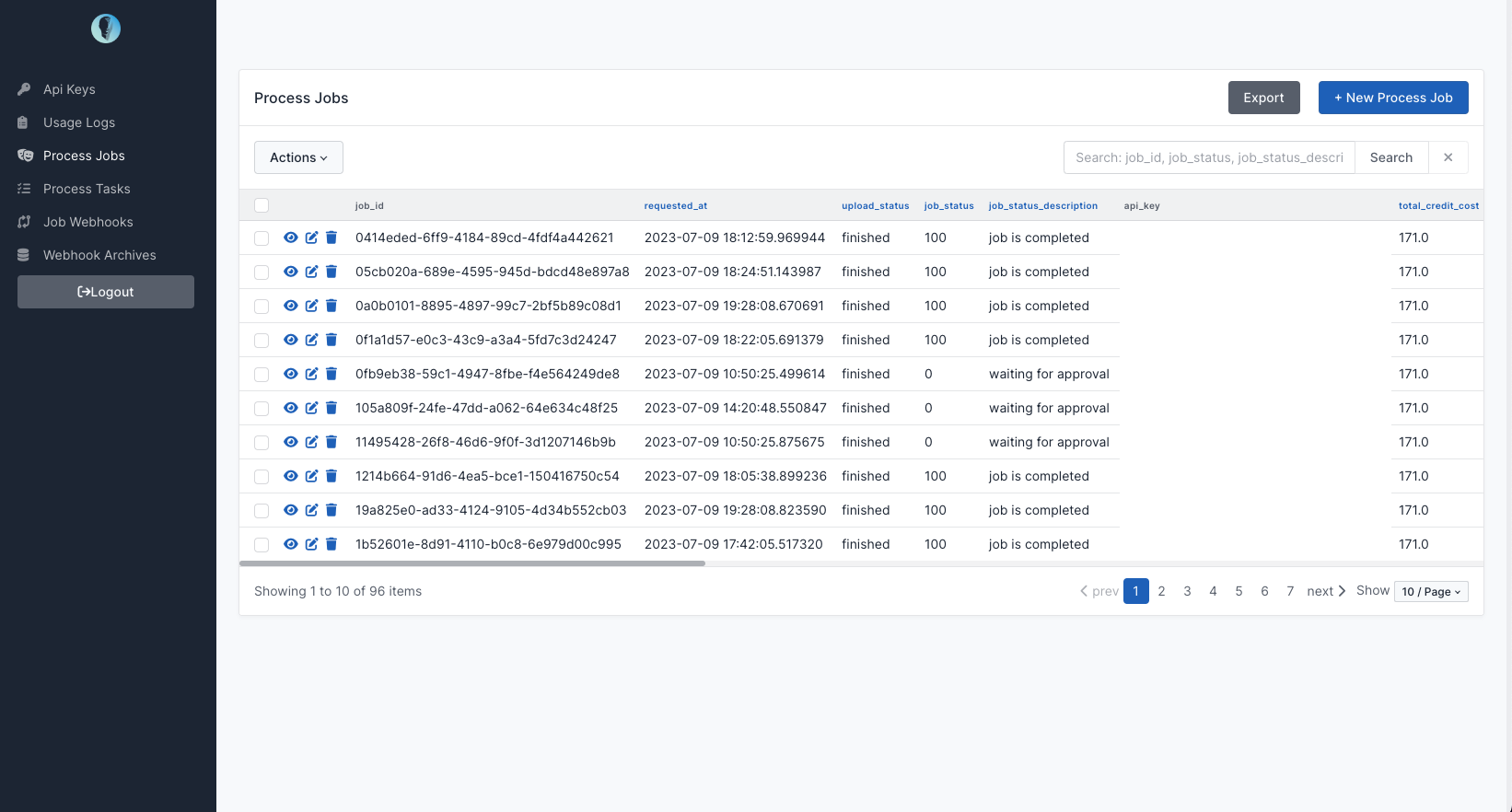
Admin Panel